CONTROL METHODKeyboard
- Use the keyboard to command the switch box to select ports or configure the SCAN delay.
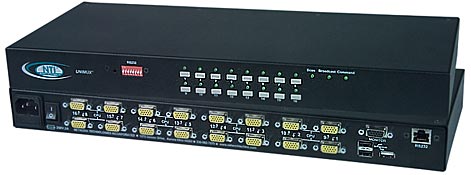
Front Panel Interface
- Touch a button and be connected to a computer, or change modes of operation.
- LEDs indicate currently selected port and mode of operation.
RS232 Control
- Female RJ45 connector.
- Baud rate 300 through 9600, DIP switch selectable.
- Use DIP switches to address up to 15 units, all of which can be daisy-chained and controlled by one serial port.
- Seven segment displays show what input is connected to each output.
- Commands
- RS - causes switch to reset so that IN1 connects to OUT1, IN2 connects to OUT2.
- CS - causes one INx/OUTx connection to occur.
- CA - causes all inputs to connect to specified output.
- RO - reads what input is connected to specified output.
- RU - reads size of matrix, reports number of inputs and number of outputs on specified switch.
On Screen Display (OSD)
- Select computers by name with the On Screen Display (OSD) option.
- Use keyboard or mouse to operate the switch from menus superimposed onto the monitor.
- Shows names of computers on cascaded switches up to 152 ports.
- Names can be up to 12 characters long.
- Power status of each computer is displayed.
- View usage statistics – power-on cycles and hours of usage.
- Helps screens assists users with the OSD.
- Modify the size and position of the OSD.
- OSD is built into the switch-no need to install additional hardware or software.
- OS and software-independent.
- Security
- Advanced security included with OSD option.
- Each user password can be up to 13 characters long, and each switch can store up to 63 users.
- Administrator can enable or disable all security features and select which computers each user can access.
- Once security is enabled, a user or administrator must login in order to access any of the computers connected to the switch.
|